Remote desktop control
Live VP8 screen capture streamed peer-to-peer, with mouse and keyboard injected on the host. The viewer can watch read-only or take full control.
etherRemote AI connects a technician's browser directly to a remote Windows machine over peer-to-peer WebRTC — with passkey sign-in, granular session permissions, an audit trail and a built-in AI copilot. No third-party cloud in the media path.
etherRemote AI is a remote desktop and remote-support platform you deploy yourself. A small agent runs on each machine you want to reach; technicians connect from an ordinary web browser. The server brokers the introduction, then the screen stream and the keyboard and mouse traffic flow directly between the two endpoints.
That architecture is the point. Because media is peer-to-peer and the whole stack runs on your own hardware, the pixels of a finance workstation or a hospital terminal never traverse a vendor's cloud — which is what makes it viable in environments where conventional remote-support tools are simply not allowed.
On top of the connection sit the things support teams actually need day to day: a machine inventory with live presence, temporary share links for one-off help, file transfer, clipboard sync, chat, role-based permissions, an append-only audit log — and an AI copilot that can run entirely on a local model.
Built as separate modules on a shared core, so you can run the whole platform or just the parts you need.
Live VP8 screen capture streamed peer-to-peer, with mouse and keyboard injected on the host. The viewer can watch read-only or take full control.
Generate a temporary, token-scoped URL for a single session. The guest opens it in a browser — no account, no download, and the link expires on its own.
Summarise a session, explain an error and draft the closing support note. Runs against a local Ollama model or any OpenAI-compatible endpoint — your choice.
Move files to and from the remote machine during a session, with object-storage backing for larger payloads and an administrative view of every exchange.
Talk to the person at the other end without leaving the session, and copy text between the two machines as if they shared a clipboard.
Every enrolled machine reports its real operating-system caption and live online/offline presence, so you know what you are connecting to before you connect.
Organisations, roles and per-session permission flags decide who may view, control, transfer files or elevate — and every action lands in an append-only log.
A WebXR client puts the remote screen on a virtual display you can reach from a headset — an independent app riding the same signalling gateway. Preview
Sign in with a fingerprint, face or device PIN through EtherLogin single sign-on — or keep email and password with TOTP two-factor. Both are live today.
Captured from the live deployment at remote.etherneco.com — not mock-ups.
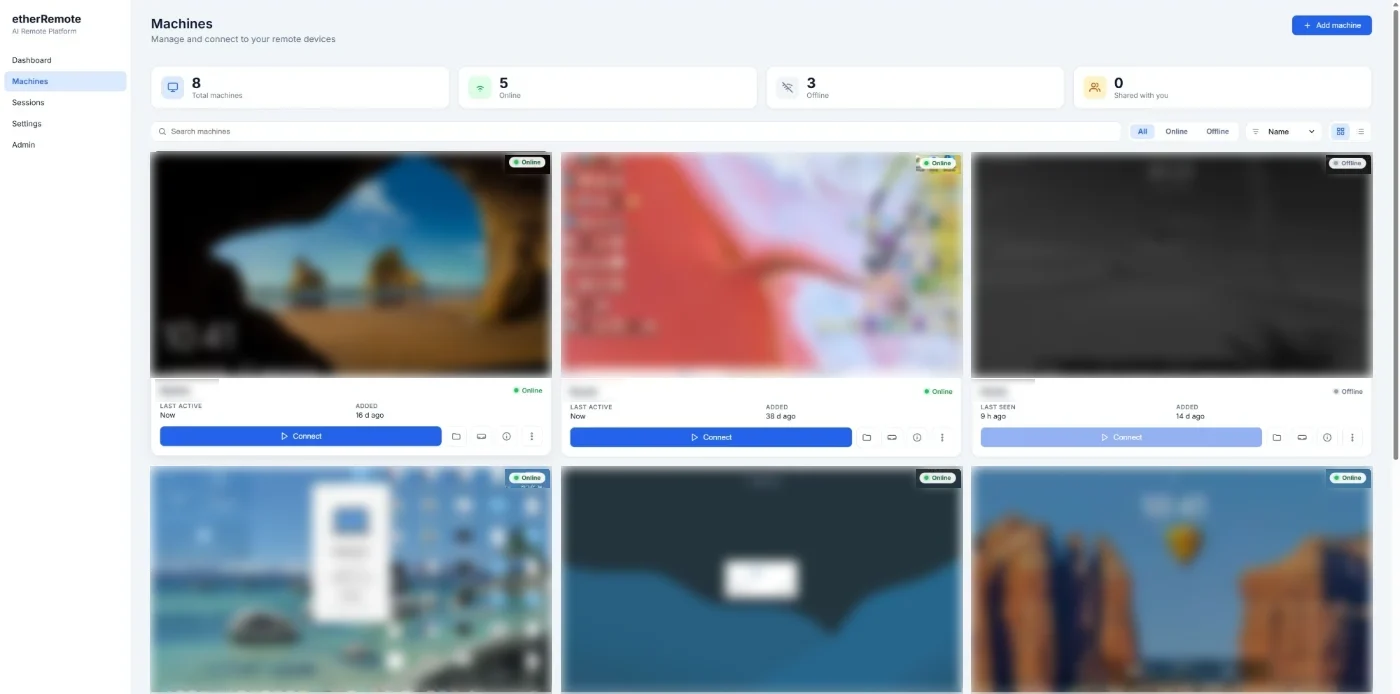
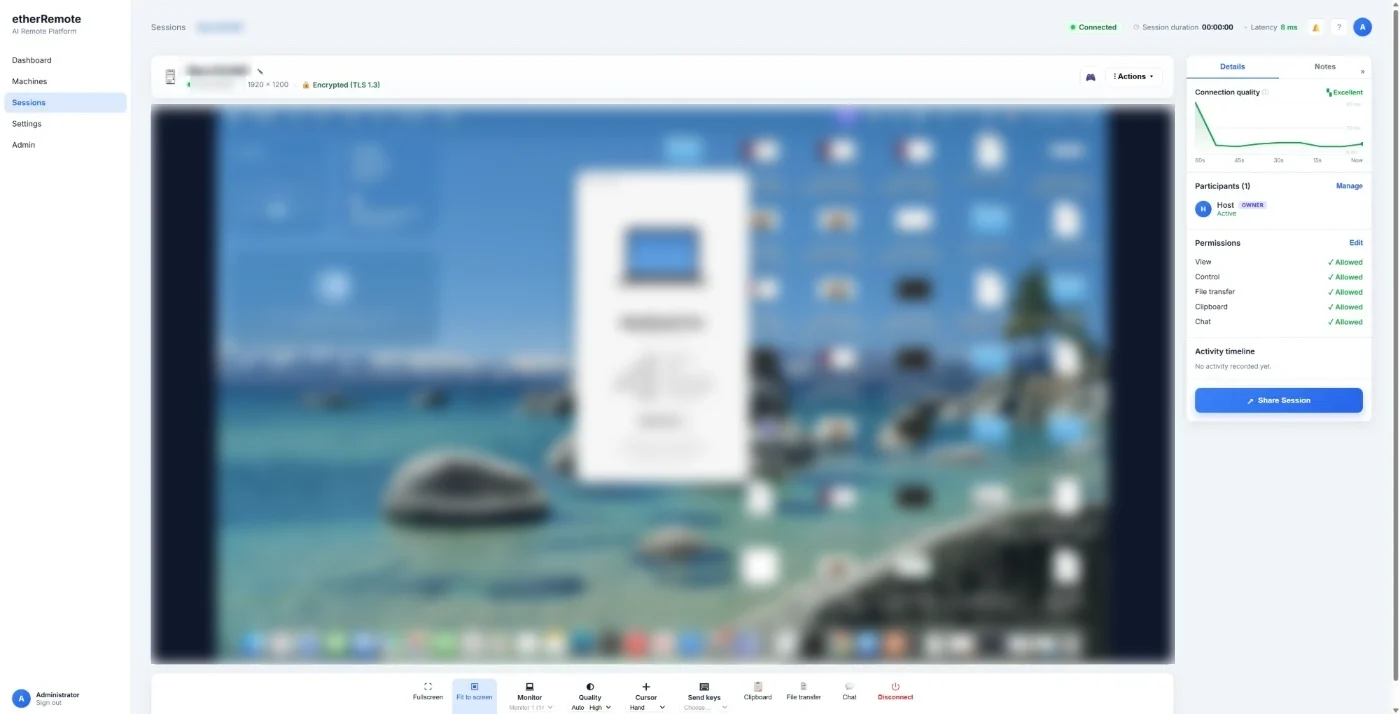
Signalling is centralised so sessions are controlled and logged. Media is not, so it stays fast and private.
The host agent runs on the Windows machine you want to reach, authenticates with a machine key and registers itself. An administrator decides whether it is allowed to accept sessions.
A technician picks the machine from the console, or sends a Quick Share link to someone who has no account at all. The gateway pairs the two sides over a WebSocket.
The peers exchange WebRTC offers, answers and ICE candidates through the gateway, then connect directly. When a firewall forbids that, a TURN server you host relays the traffic instead.
Screen frames flow one way; input, clipboard, chat and file events flow back over a data channel. Permissions are enforced per session and every action is written to the audit log.
Two different questions: which machines can be controlled, and which devices can do the controlling.
| Role | Operating systems | Requirements | Status |
|---|---|---|---|
| Controlled machine host agent |
Windows 11 · Windows 10 (x64) Windows Server 2016 · 2019 · 2022 · 2025 | Self-contained executable — no .NET runtime to install. Screen capture uses GDI; input uses the native SendInput API. |
Supported |
| Controlled machine host agent |
macOS · Linux | The agent already builds and runs cross-platform; the capture and input back-ends for these systems are not implemented yet. | On the roadmap |
| Technician side web console |
Windows · macOS · Linux · ChromeOS iPadOS · iOS · Android | Any browser with WebRTC and WebSocket: Chrome and Edge 111+, Firefox 115+, Safari 16.4+. Nothing to install. | Supported |
| Technician side desktop client |
Windows (shipped) · macOS and Linux buildable | A native client built on Avalonia for teams that prefer an application window over a browser tab. | Windows first |
| Server self-hosted |
Windows Server 2019+ behind IIS Linux, natively or via Docker Compose | ASP.NET Core on .NET 9. Ships with SQLite for small deployments; MySQL or PostgreSQL for larger ones. | Supported |
| Headset VR workspace |
WebXR-capable headsets — Meta Quest and similar | A separate WebXR application that fronts the same signalling gateway for live remote control in VR. | Preview |
Remote-access software is a standing invitation to attackers. These are the controls that are implemented and running today.
WebRTC negotiates DTLS-SRTP, so the screen stream and input channel are encrypted between the endpoints — not merely to the server.
Passkey single sign-on over OIDC, or email and password hardened with TOTP two-factor. Signed JWTs carry the session.
Accounts exist only by invite code. Machines are enrolled with a key and must be approved before they can accept a session.
View, control, clipboard, file transfer and elevation are separate flags. The host can revoke control or end the session at any moment.
Who connected, to what, from where and when — written once and never mutated, so the record survives the incident.
Per-IP rate limiting across the whole API, tightened sharply on sign-in and the public contact form to blunt brute force and spam.
TLS everywhere, HSTS, forced HTTPS, and strict response headers — no sniffing, no framing, no referrer leakage.
The media and data stacks are tracked against published advisories and updated deliberately, not incidentally.
No exotic dependencies, no proprietary protocol on the wire — WebRTC, WebSocket and HTTP.
Each phase landed as a working, tested increment rather than a promise.
Tell us how many machines you need to reach and what your security team requires. We will come back with a straight answer about whether etherRemote fits — including when it does not.
Roughly 30 minutes, driving a real session against a real machine — no slideware.
Bring your questionnaire. We would rather answer it now than at procurement.
Thirty minutes, your questions, an actual remote session.
Request a demo